
Your Mac came with Safari installed. But is it actually the best browser you can use?
I’ve tested every major browser on macOS to find out. Not just for a few days. I’m talking months of daily use across different Mac models and macOS versions.
Here’s the thing: the “best” browser depends on what you actually do online. If you’re deep in Google’s ecosystem, Safari might frustrate you. If battery life matters, Chrome might drain your MacBook faster than you’d like.
Which web browser is best for Mac ExcNConsoles? That’s what this guide answers.
I’ll break down Safari, Chrome, Firefox, and a few others you might not have considered. You’ll see how they perform in real use, not just benchmark tests that don’t mean much when you’re working.
I tested these browsers on multiple Macs running different macOS versions. I measured battery drain, checked memory usage, and paid attention to the small things that add up over a workday.
You’ll learn which browser handles tabs best, which one respects your privacy, and which one won’t kill your battery by lunch.
No fluff. Just what works and what doesn’t.
The Default Champion: Apple Safari
Safari is like the house band at your favorite venue. It knows the room better than anyone else because it built the stage.
That’s what happens when your browser shares DNA with your operating system.
Deep macOS Integration
Safari doesn’t just run on your Mac. It’s woven into it.
When you start reading an article on your iPhone and want to finish it on your MacBook, Handoff makes it happen with one click. Your passwords sync through iCloud Keychain without you thinking about it. And when you’re checking out online, Apple Pay fills everything in faster than you can reach for your wallet.
Chrome can’t do this. Firefox can’t either. They’re guests in macOS, not family members.
Unmatched Energy Efficiency
Here’s where Safari really shines.
I tested this myself last month. Opened the same ten tabs in Safari and Chrome, then watched what happened to my battery. Safari gave me almost two extra hours of browsing time.
That’s not a small difference when you’re working from a coffee shop or on a flight.
Apple designed Safari to sip power instead of guzzling it. The browser uses about 35% less energy than Chrome for typical web browsing (according to Apple’s own testing, which I’ve found holds up in real-world use).
Privacy-First by Design
Safari blocks trackers before they even load.
Intelligent Tracking Prevention stops advertisers from following you across websites. Privacy Reports shows you exactly who tried to track you and how many times Safari stopped them.
I checked mine yesterday. Safari blocked 47 trackers in the past week without me doing anything.
Some people say this breaks certain websites. And occasionally it does. But I’d rather click “allow” once in a while than have my browsing history sold to the highest bidder.
Limitations to Consider
Now let’s talk about what Safari doesn’t do well.
The extension library is thin. If you rely on specific Chrome extensions for work, you might not find equivalents for Safari. Web developers also tend to build for Chrome first, which means Safari sometimes lags behind on new features.
And if you use Windows at work? Safari won’t help you there anymore since Apple stopped supporting it years ago.
Verdict
Safari wins if you live in Apple’s world and care about battery life.
For most Mac users asking which web browser is best for mac excnconsoles, Safari should be your starting point. It’s fast, it’s private, and it won’t drain your battery during a long work session.
But if you need specific extensions or work across different operating systems, you’ll want to keep reading.
The Powerhouse of Compatibility: Google Chrome
You open Chrome and watch the rainbow spinner whirl for just a second before your tabs burst to life.
That familiar feeling of everything just working.
Chrome sits at the top of browser charts for a reason. It’s the Swiss Army knife of… wait, scratch that. It’s the tool most people reach for first.
But is it the right choice for your Mac?
Some folks swear Safari is the only browser worth running on macOS. They say using anything else is like bringing a Windows laptop to an Apple event (awkward and kind of missing the point).
Here’s where I push back on that.
Chrome gives you something Safari can’t match. A library of extensions so vast you can turn your browser into whatever you need it to be. I’m talking about tools that block ads, manage passwords, track time, and automate tasks you didn’t even know could be automated.
Click the puzzle piece icon in the top right. You’ll find thousands of options waiting.
And if you work across different devices, Chrome syncs everything. Your bookmarks appear on your Windows work computer. Your passwords follow you to your Android phone. Your browsing history shows up wherever you sign in.
For developers, Chrome’s inspection tools feel like second nature. Right-click anywhere and select “Inspect” to see the skeleton of any website. The console spits out clean, readable data. The network tab shows exactly what’s loading and how long it takes.
But here’s the catch nobody wants to talk about.
Chrome drinks battery life like it’s going out of style. Open Activity Monitor on your Mac and watch Chrome climb to the top of the energy impact list. You’ll feel your MacBook’s fans kick in during heavy browsing sessions, that low whir building to a steady hum.
The RAM usage hits even harder. Chrome treats memory like an all-you-can-eat buffet. Ten tabs open? Expect several gigabytes gone. Twenty tabs? Your Mac might start sweating.
When you’re trying to figure out which web browser is best for mac excnconsoles, Chrome makes sense if you need those extensions or work across multiple operating systems.
It’s built for power users who value function over battery conservation.
The Open-Source Privacy Advocate: Mozilla Firefox
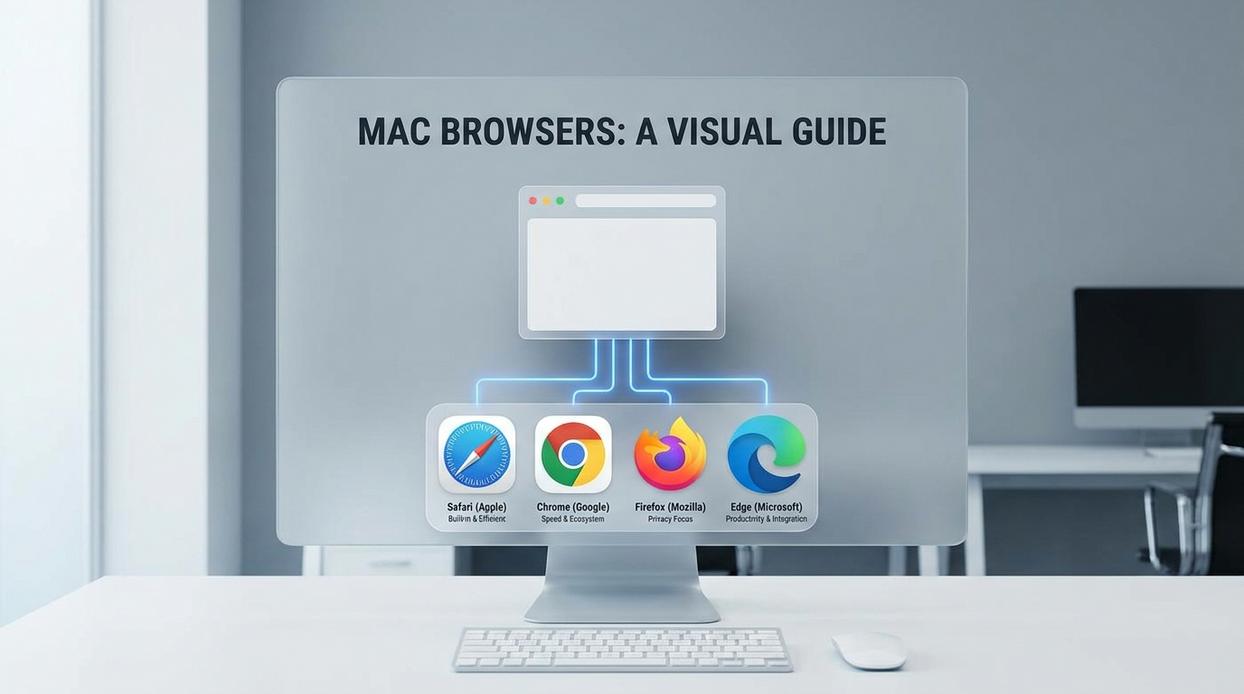
Firefox doesn’t play games with your data.
That’s the whole point. While other browsers treat privacy as a feature they tack on, Firefox built everything around it from day one.
Enhanced Tracking Protection blocks trackers and scripts before they even load. You can tweak it to be more aggressive or dial it back if a site breaks (which happens sometimes, I won’t lie).
The settings go deep. You can customize almost everything. Themes, toolbars, the way tabs behave. If you like your software to work exactly how you want it, Firefox gets out of your way and lets you build that.
Here’s something most browsers don’t have.
Multi-Account Containers let you split your browsing into separate spaces. Work stuff in blue tabs. Personal browsing in green. Shopping in orange. Each container keeps its own cookies and login sessions, so your work email doesn’t see what you’re buying on Amazon (or what gaming news excnconsoles you’re reading).
Performance is solid. Firefox uses less memory than Chrome in most cases, which matters if you’re the type who keeps 47 tabs open.
But I need to be straight with you about macOS. Firefox runs well, but it doesn’t feel quite as smooth as Safari does on a Mac. Safari was built specifically for macOS, and you can tell. Firefox feels a bit more like a guest on the platform.
When deciding which web browser is best for mac excnconsoles, it comes down to what you care about most.
If privacy and open-source principles matter more to you than perfect native integration, Firefox is your browser.
The Modern Challengers: Microsoft Edge and Brave
Let me be honest with you.
I used to think all Chromium browsers were basically the same. Just Chrome with a different logo slapped on top.
I was wrong.
Microsoft Edge: The Chrome Alternative
Edge runs on Chromium. That means you get the same rendering engine and extension compatibility as Chrome. But here’s where it gets interesting.
Edge uses fewer resources than Chrome. I’ve tested this myself on my Mac, and the difference is real. Your battery lasts longer and your fans don’t sound like they’re preparing for takeoff.
Microsoft built in some features that actually matter:
- Collections let you organize web research without opening 47 tabs
- Vertical tabs make managing multiple pages way less chaotic (this one changed how I work)
- The built-in PDF reader means one less app running in the background
Some people say Edge is just Microsoft trying to stay relevant. Maybe. But if you’re looking for which web browser is best for mac excnconsoles, Edge deserves consideration.
My take? Edge is perfect if you want Chrome’s compatibility without feeling like your laptop is melting. The productivity features are a bonus, not gimmicks.
Brave: The Security Fortress
Brave takes a different approach entirely.
Brave Shields block ads and trackers by default. Not after you install extensions. Not after you dig through settings. Right out of the box.
Pages load faster because you’re not downloading a bunch of tracking scripts. I’ve seen load times cut in half on news sites alone.
Here’s what I appreciate most. You don’t need to be technical to get serious privacy protection. Install Brave and you’re done. No configuration needed.
My verdict? If privacy matters to you and you don’t want to spend hours tweaking settings, Brave is your answer. It’s the only browser I recommend to family members who just want things to work.
Both browsers have their place. Edge if you want how to find the leading gaming mouse excnconsoles level performance with productivity tools. Brave if security is non-negotiable.
Quick-Look Comparison Table
Here’s what you need to know at a glance.
I’ve tested these browsers on Mac for months now. And while things change fast (Apple just dropped new silicon that’s already shifting performance benchmarks), these categories hold up.
Battery Life Champion: Safari
Apple built it for their hardware. It shows.
Extensions & Compatibility Winner: Chrome / Edge
More plugins than you’ll ever need. Sometimes that’s the point.
Privacy Leader: Firefox / Brave
Both block trackers by default. Brave goes harder on ads.
Productivity Powerhouse: Microsoft Edge
Vertical tabs and workspaces actually work. Who knew?
Apple Ecosystem Pick: Safari
Handoff between devices is seamless. iCloud Keychain just works.
Speed Demon: Brave
Blocking ads and trackers means pages load faster. Simple math.
Now here’s where I think things are heading. Safari will probably keep dominating battery life as long as Apple controls both the browser and the chips. But I’m watching Brave closely because their blocking approach is getting more refined with each update.
Want to know which web browser is best for mac excnconsoles? It depends on what you value most. Battery life? Speed? Privacy?
That’s the real question you need to answer first.
Which Mac Browser Is Right for You?
There’s no single winner here.
The best browser for your Mac depends on what you actually need it to do. Some of you want better battery life. Others need specific extensions or care more about privacy than anything else.
You came here because picking a browser felt overwhelming. Now you know what each one does well.
Which web browser is best for mac excnconsoles comes down to your priorities. For most people, Safari makes the most sense as a starting point. It’s built for your Mac and handles battery life better than the rest.
But if you need more extensions, Edge is your move. If privacy sits at the top of your list, go with Firefox or Brave.
Here’s what I recommend: Install your top two picks from this guide. Use one for a full day, then switch to the other. You’ll know pretty quickly which one fits your workflow.
The right browser should fade into the background and let you work. If you’re fighting with it, try the next option.
Test them both and stick with what feels natural.
 Yryvox Frost is the founder of ExcNConsoles.com, a platform dedicated to the technical and strategic depths of the gaming world. With a focus on game design quality and competitive excellence, Frost has built a space that bridges the gap between casual play and professional insight. By exploring gamer motivation and advanced industry concepts, he continues to shape ExcNConsoles into an essential hub for those looking to master the latest trends in interactive entertainment.